


















Welcome to the Power Users community on Codidact!
Power Users is a Q&A site for questions about the usage of computer software and hardware. We are still a small site and would like to grow, so please consider joining our community. We are looking forward to your questions and answers; they are the building blocks of a repository of knowledge we are building together.
Disable input sources pop-up in macOS 14
Since the update to macOS 14.0 Sonoma, I every now and then get the following pop-up while typing. At first it is just the blue circle with "US":

When I click on it, the white part with "DE" appears:
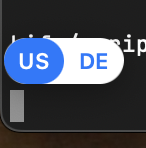
As these are the two input sources I have installed, I assume this is to switch between them.
This pop-up occurs in different applications, both from apple (e.g. in Terminal.app) as well as in third-party apps (e.g. TeXstudio.app), so I assume this is a feature from the operating system rather than from specific apps.
Is there a way to disable it?
My settings about input sources look like this:
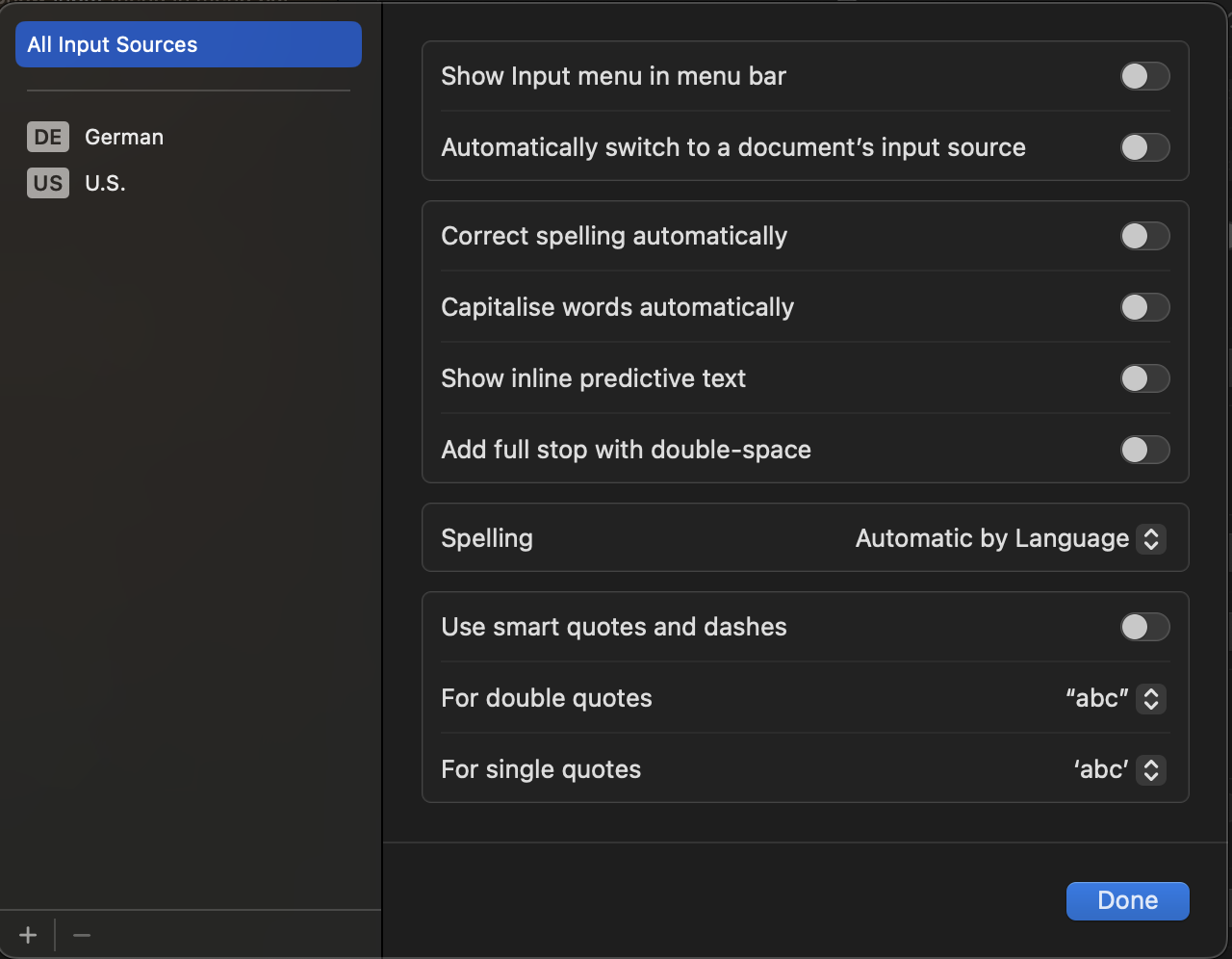
Uninstall all input sources but US did not solve the problem either. The pop-up will still occur even if clicking on it does not give any options to switch the language.

2 answers
You are accessing this answer with a direct link, so it's being shown above all other answers regardless of its score. You can return to the normal view.
The following users marked this post as Works for me:
| User | Comment | Date |
|---|---|---|
| samcarter | (no comment) | Jan 30, 2026 at 16:53 |
I finally found a solution thanks to @bogdanw at https://stackoverflow.com/a/77256214/2777074
The idea is to create a file called UIKit.plist with the content:
<?xml version="1.0" encoding="UTF-8"?>
<!DOCTYPE plist PUBLIC "-//Apple//DTD PLIST 1.0//EN" "http://www.apple.com/DTDs/PropertyList-1.0.dtd">
<plist version="1.0">
<dict>
	<key>redesigned_text_cursor</key>
	<dict>
		<key>Enabled</key>
		<false/>
	</dict>
</dict>
</plist>
This file should then be placed in /Library/Preferences/FeatureFlags/Domain and the system restarted.
0 comment threads
Hi, I had the same issue, so ended up writing a small open-source utility that switches input sources instantly on FN press: https://github.com/tonku321/fn-lang-switcher

0 comment threads

0 comment threads